For accountants & bookkeepers
Clean client records, without the chasing.
Clients forward documents, DexAI does the extraction, categorisation and matching, and you review exceptions instead of keying data.
Before and after
What changes with DexAI
- Chasing clients for missing receiptsClients snap or forward documents the moment they get them
- Manual data entry per clientAI extraction with confidence scores for review
- Switching between client loginsMultiple companies managed from one dashboard
- Rework when categories are wrongConsistent categorisation applied the same way every time
Your dashboard
Your clients, your history and your numbers, on one screen.
Manage clients and team members, open your processing history, and see how many bank statements, receipts and invoices have been processed.
app.dexaitech.com
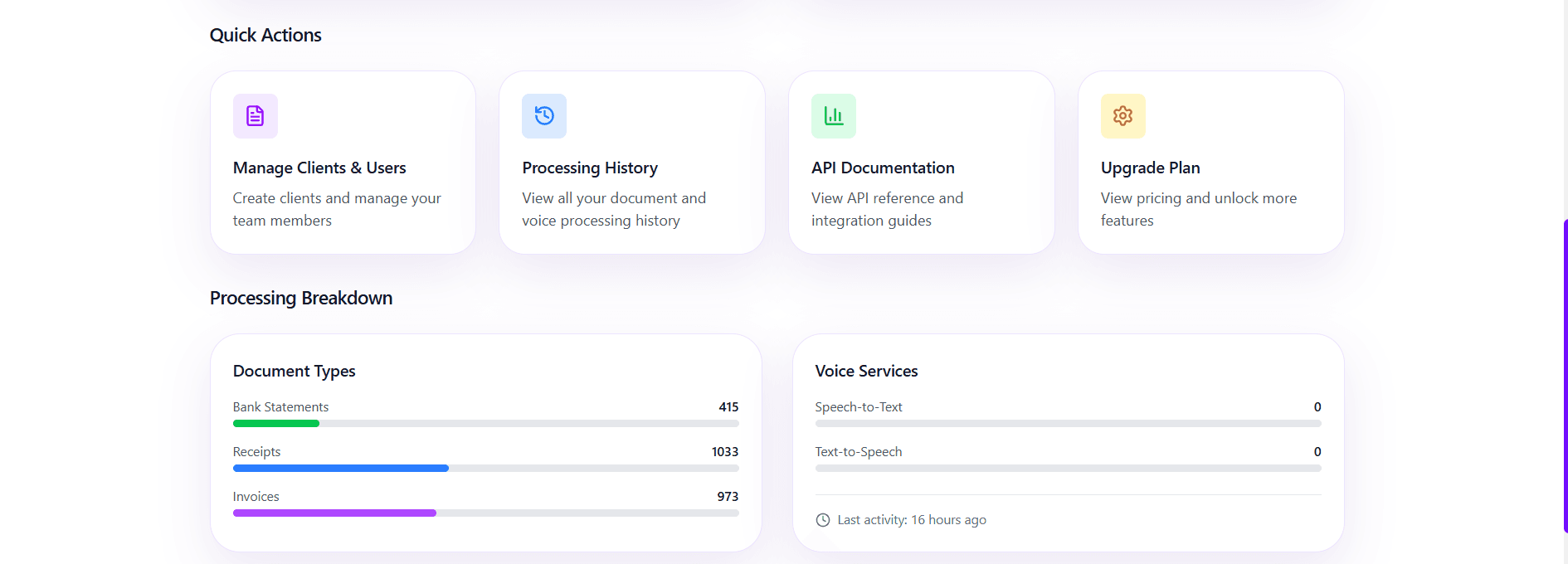
Screenshot of the DexAI web app.
How it worksFive steps. Eleven seconds.
Five steps. Eleven seconds.
Zero retyping.
One pipeline takes every document from capture to reporting. This is a real receipt moving through it.
Capture
Photo, upload or email
0.0s
Extract
Supplier, date, VAT, total
2.1s
Categorise
HMRC-aligned category
processing…
Reconcile
Matched to the bank line
—
Report
Expenses & VAT, current
—
receipt_7126.jpg · sampleCategorising · step 3 of 5
Supplier
Tesco Stores 99%
Date
02 Oct 2026 99%
Total / VAT
£51.00 · £8.50 98%
Category
Office supplies suggesting…
Bank match
Queued
Destination
Xero · Acme Studio Ltd
Relevant capabilities
What accountants & bookkeepers use most
Other solutions
Not quite your shape?
Businesses
Bookkeeping without the admin.
- Receipts captured the day you spend
- Bank lines matched automatically
- VAT figures ready at any time
Finance Teams
Automation for in-house finance.
- Fewer manual steps at month end
- Consistent categories across the team
- Audit trail on every record
Multi-Company
Several entities, one login.
- Separate books per entity
- Same automation everywhere
- Access controlled per company
Get started
Ready to automate your finances?
Spend less time processing documents and more time running your business.